
How to add links to the event page
 Julia EskinUpdated
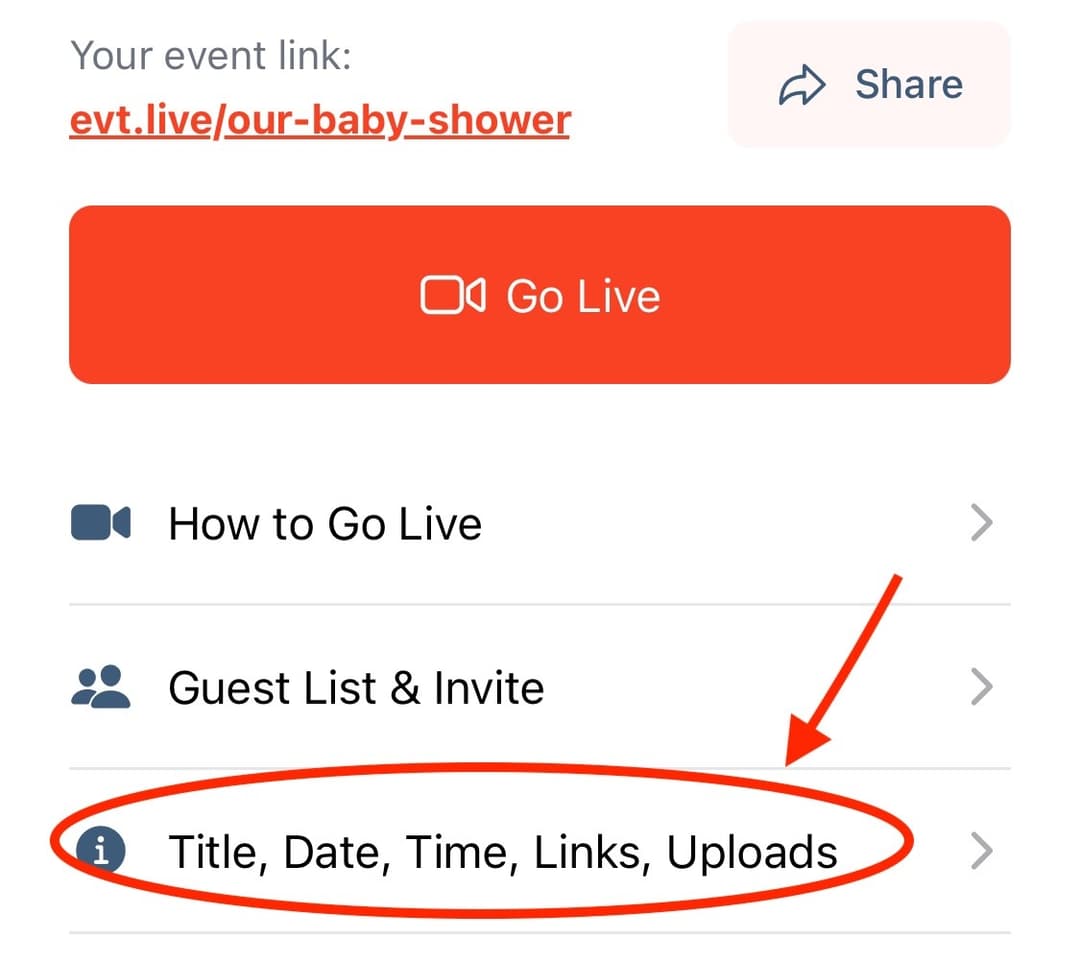
 To add links to the event page (website, registry, donation page, Cashapp, PayPal, etc.) please tap the Title, Date, Time, Links, Upload tab.
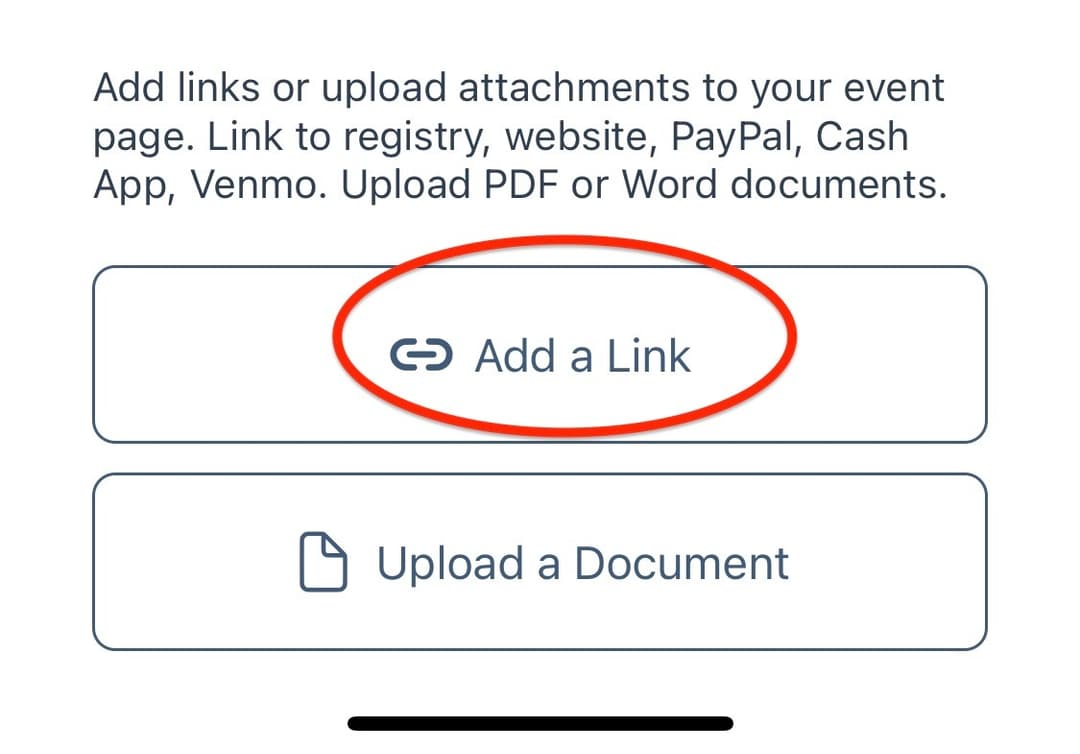
Next, select Add a Link
And enter Link Description (ex. Our Registry) and Link URL (ex. www.zola.com/registry)
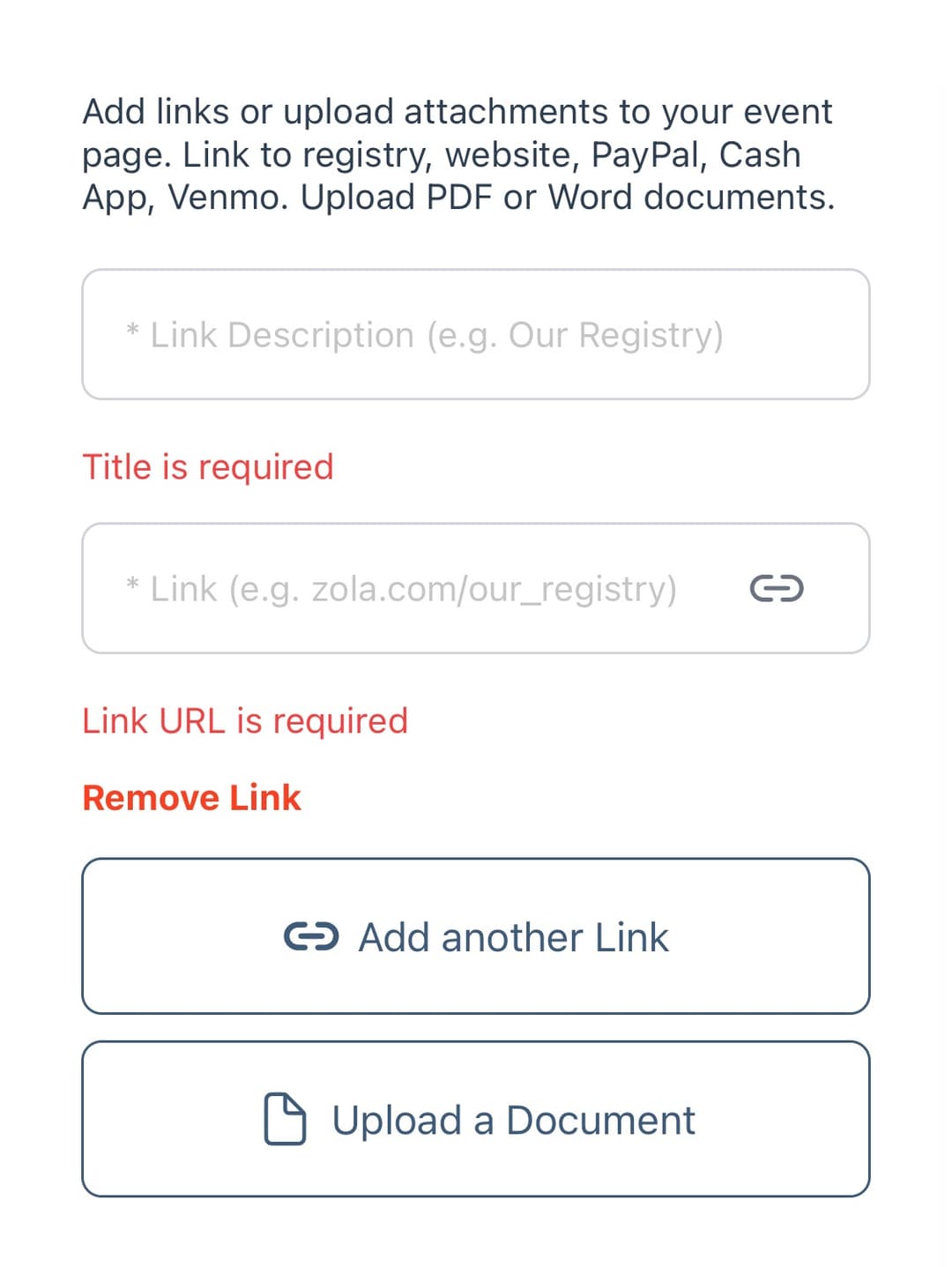
You can add multiple links by tapping "Add another link".
The links will appear on the event page right below the video player.

