
How to change the title of the event
 Julia EskinUpdated
You can change your event's title and location at any time, before or after the event.
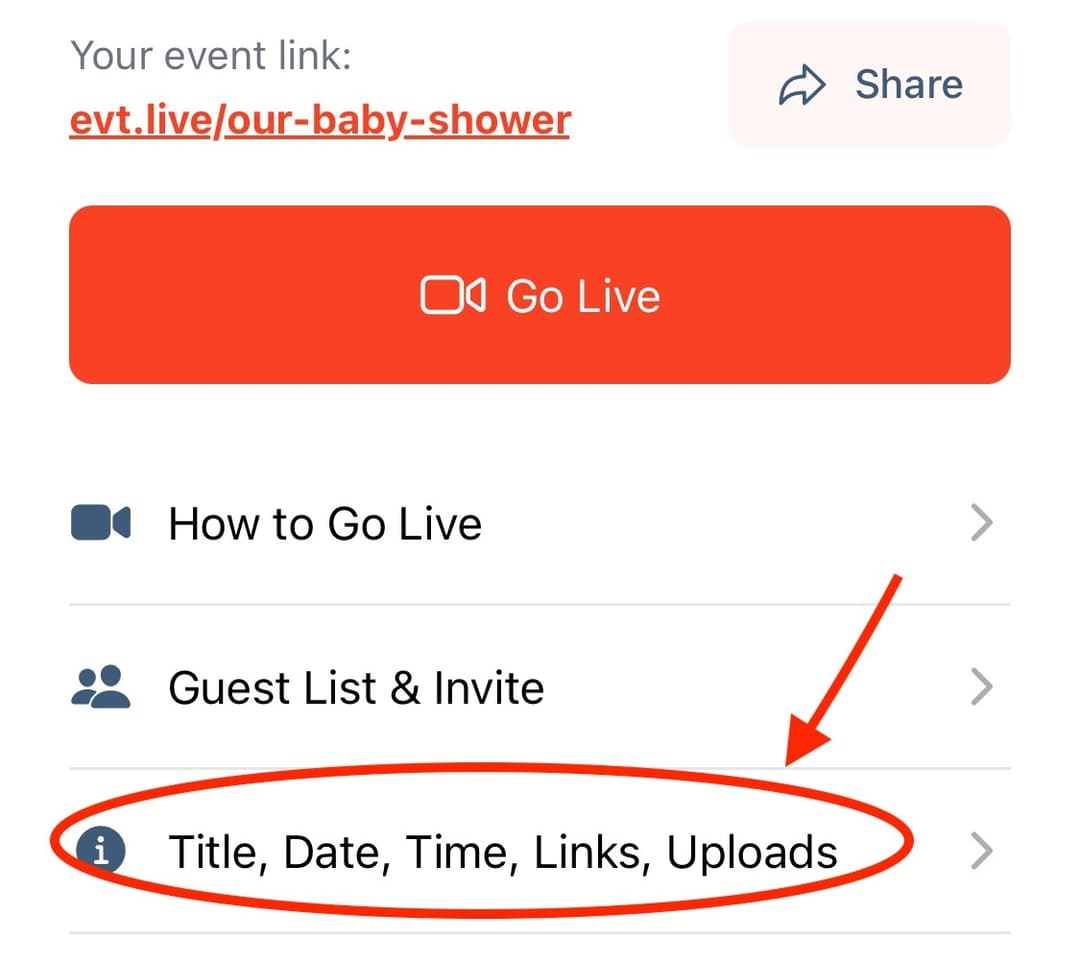
- Open your event and tap Title, Date, Time, Event Link, Uploads.
- Under Title and location, edit the Event title. Add a Location if you'd like it on your event page, for example the venue and city. It shows next to the date, as "Live and On-Demand from …".
- Your changes save automatically: Saving… and then Saved appear at the top of the screen.
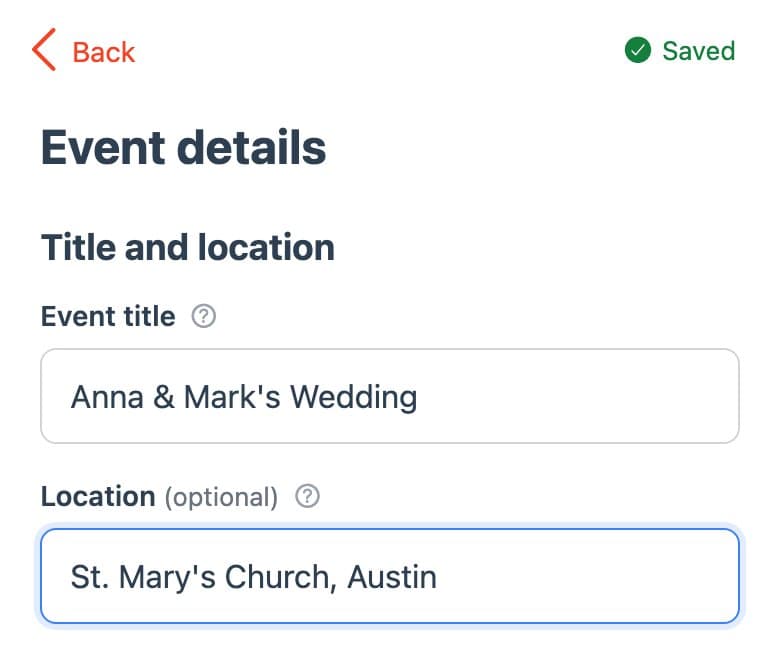
The title appears on your event page and in emails to guests. Changing it doesn't change your event link.
If you clear the title, Not saved: Add a title appears at the top until you enter one. If Couldn't save · Retry appears, check your connection and tap it to try again.
Free tests keep their name, unless you use multiple test events.