
Event webcasting for meetings, AGMs and conferences

Webcast your annual meeting, town hall or conference to members, shareholders and staff on one link. They watch in a browser, ask questions in chat, and catch the replay later.

  • Free test streams
  • No credit card needed
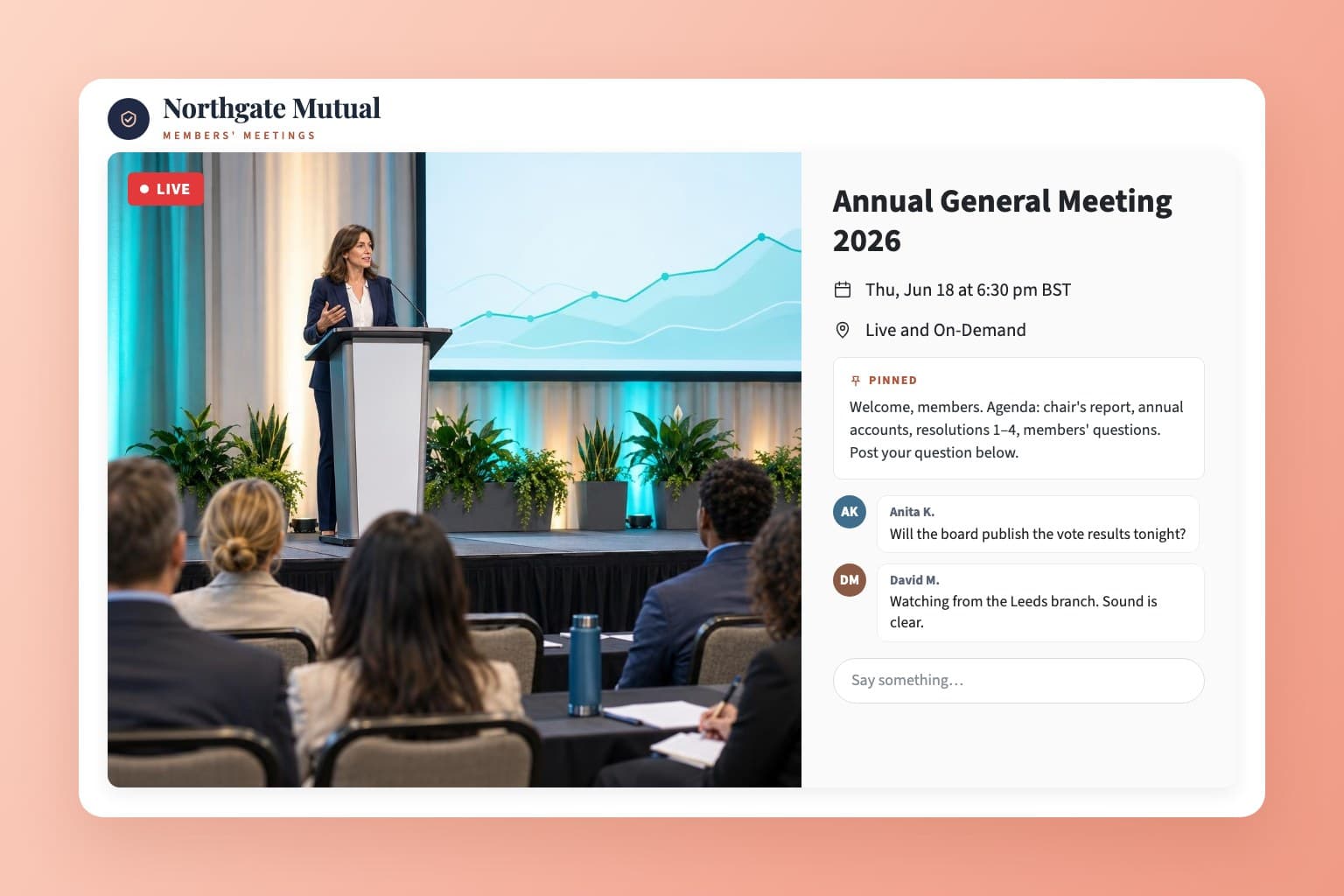
An EventLive event page for a member organization's annual general meeting, with the chair presenting, the agenda pinned and members' questions in the chat

How to webcast a meeting

  1. Schedule the webcast

    Add the meeting, date and your logo, then choose who can watch: anyone with the link, registered viewers, a password or an invite list.
  2. Send the link with the notice

    Put one link in the notice of meeting, the staff email or your members' page. Guests who sign up get reminders before it starts.
  3. Go live from the room

    Stream from a phone on a tripod, from EventLive for Mac or Windows with your slides, or from your AV team's encoder over RTMP.

Planning a webcast?

Tell us about your meeting and we'll reply by email. You can create your account and run a test webcast in the meantime.

  • Registration, passwords or invite lists
  • Your AV company's encoder or Zoom setup
  • Quotes and invoices for your finance team

Rather start now? Create a free business account

Decide who gets into the webcast

For public town halls and community meetings. People open the link and watch in any browser, with no app and no account.

What a webcast meeting needs

Slides, video and remote speakers in one webcast

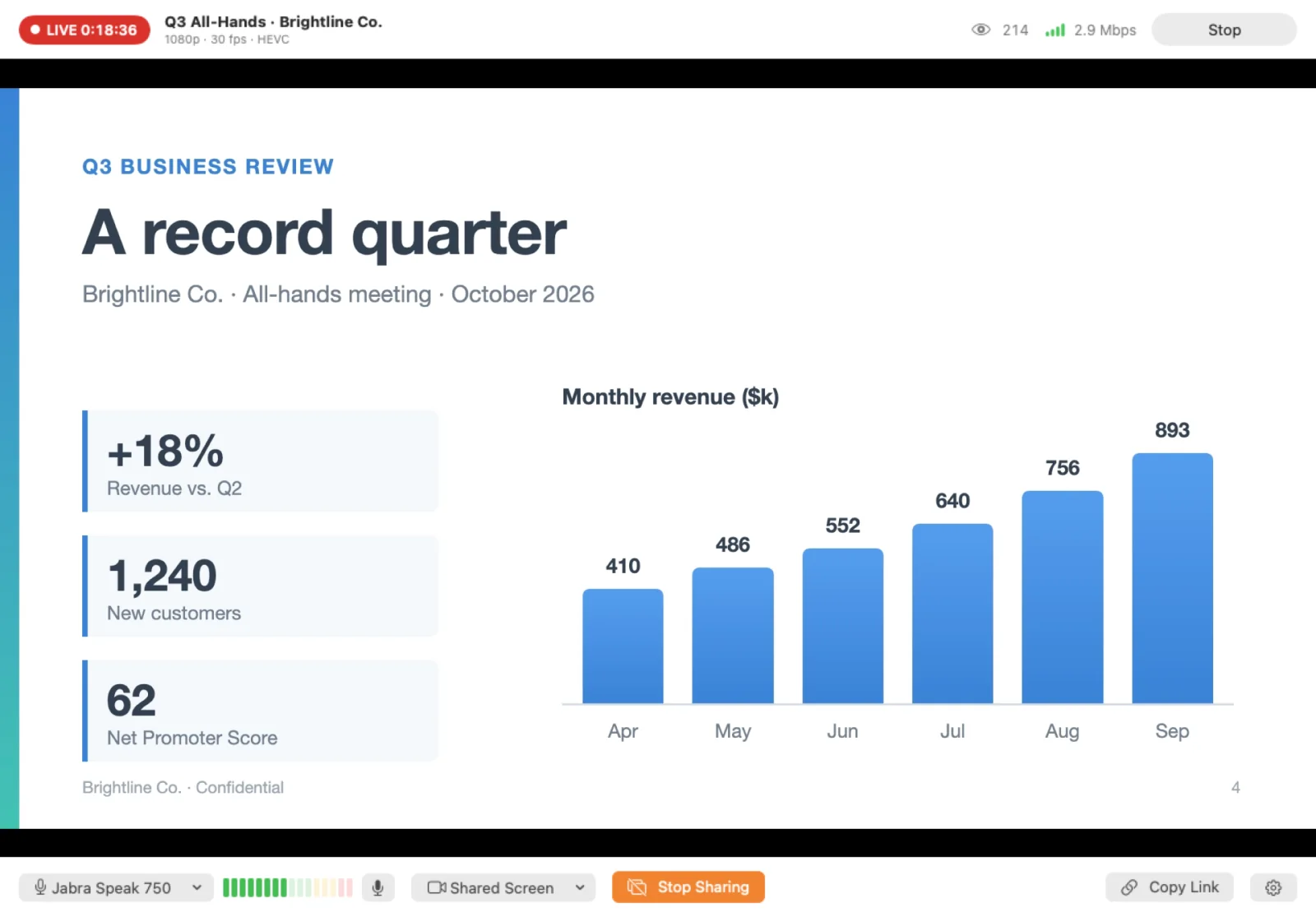
In EventLive for Mac or Windows, share your screen to put the annual accounts or the all-hands slides on air, then switch back to the camera. Production teams can mix in OBS, vMix or an ATEM and send it over RTMP. A director joining from abroad can come in through Zoom and OBS. Adding remote speakers

EventLive for Mac
EventLive for Mac sharing a quarterly results slide during a company all-hands webcast

Webcast on your intranet or members' page

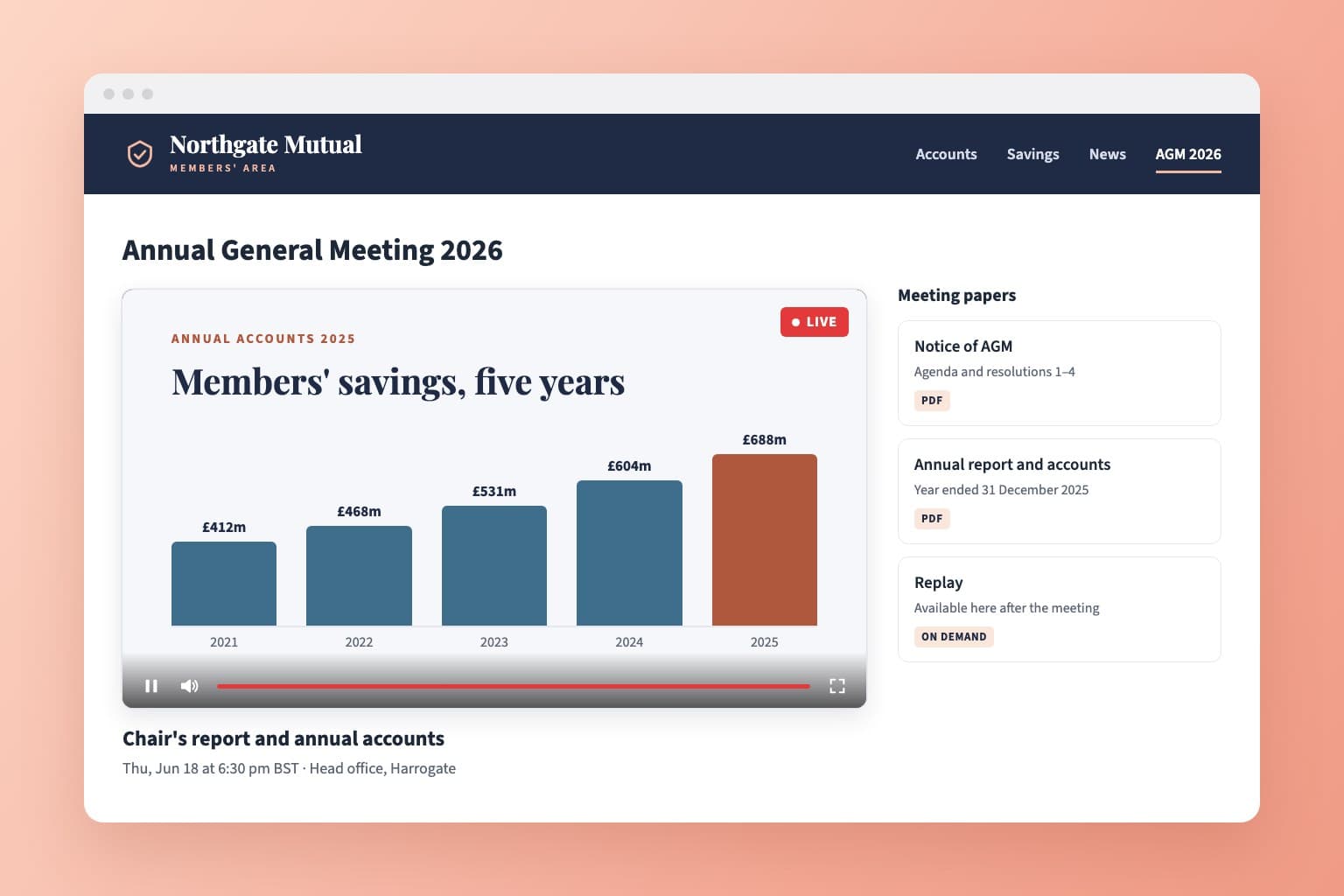
Copy the embed code and paste it into your intranet, investor relations page or members' area, next to the meeting papers. Registration, passwords and invite lists still apply inside the embed. Embed a stream

How embedding works
A member organization's website with its AGM webcast embedded beside the notice of meeting and the annual report

Questions from remote attendees

Turn on Chat and people post questions beside the video. Pin the agenda or a link to your voting form above the chat. Pinned messages

A recording for the minutes

Every webcast is recorded. Members who missed it watch the replay on the same link, and you download the video for your records. Download the recording

A report on who watched

Event Analytics shows unique viewers, live and replay, peak viewers, watch time and countries. Registration and invite lists give you the names. Viewer reports

Overflow rooms and breakouts

Stream the main hall plus an overflow room or breakout sessions on one link, up to 10 rooms, each with its own tab and recording. Multi-room events

Large audiences

There's no cap on viewers. Each event includes 5,000 viewer hours, for example 2,500 people watching a two-hour meeting. Viewer hours

Your AV company can run it

Send your AV crew the go-live instructions from the event. They stream from their own gear without your account password. Delegate going live

What organizers say

Pricing for webcasts

Event credits

Pay as you go
$59
$59 per event
5 events
$250
$50 per event
10 events
$400
$40 per event
25 events
$875
$35 per event
50 events
$1,500
$30 per event

Unlimited plans

AnnualSave $389/yr
$167
/month
Billed at $1,999/yr

Every event includes

  • 24 hours of Full HD streaming
  • Unlimited guests
  • Pause and resume to the same link
  • Play the music your event needs
  • Instant replay, online from 1 month to 10 years
  • Your own event link and page
  • Link to gift registries or donations
  • Photo guestbook or chat
  • Welcome message, cover photo or intro video
  • Automatic email reminders for guests
  • Guest emails with your logo
  • Embed the stream on your website
  • Optional password protection
  • Money-back guarantee
  • Invite by CSV, link or email
  • Pay-per-view tickets through Stripe
Compare business streaming platforms

Frequently asked questions

A webcast is a live video broadcast of an event over the internet. It goes one way, from the room to the audience: viewers watch and can post in chat, but they aren't on camera. Companies and associations webcast AGMs, shareholder and member meetings, town halls, all-hands meetings, board meetings and conferences.

In a webinar everyone joins a call in meeting software such as Zoom, and the host manages microphones and cameras. A webcast streams the room to any number of people, who open a link in a browser and have nothing to install or mute. Many organizations hold the meeting in person and webcast it, and bring remote speakers in through Zoom. EventLive vs Zoom

Yes, for the video. Members in the room take part as usual, and everyone else watches live on one link and asks questions in chat. Check your articles or bylaws for whether remote members count toward the quorum and how they vote. Our guide to live streaming an AGM covers the setup.

EventLive doesn't run votes or polls. Most organizations use their existing voting or proxy provider and put its link in the pinned message, so it stays above the chat for the whole meeting.

There's no hard limit. Each event includes 5,000 viewer hours, which covers 2,500 people watching a two-hour meeting. After that it's US$20 for every extra 1,000 viewer hours, and the stream is never cut off.

Yes. With registration or an invite list you get the names and emails of everyone who signed in. On a business account, Event Analytics adds unique viewers, live and replay viewing, watch time and countries. Viewer counts are devices, so several people watching one screen count once.

Yes. The replay plays on the same link unless you choose Live only, and you can download the video for your minutes or archive. The EventLive apps can also save a local copy on the streaming device.

No. Viewers open the link in a browser on a computer, phone, tablet or smart TV. They don't need an account, unless you ask them to register with their name and email.

Viewers can use the live captions built into Chrome or macOS, which transcribe the audio on their own device. Automatic captions can contain mistakes, so test them with your speakers first. Captions in Chrome and Safari

Yes. Any switcher or encoder that streams over RTMP works, including OBS, vMix, ATEM and LiveU. Send them the go-live instructions from the event, and they don't need your password. Go live using RTMP

Yes. Connect Stripe and sell virtual passes or day tickets on the same link. See conference live streaming for passes, tracks and sponsor access.

You pay per event, or choose a monthly or yearly plan if you webcast often. The business account and test streams are free, and there's no contract. See the pricing below.

Webcast your next meeting

Create a free business account and run a test webcast from the room before the day.