

The short answer
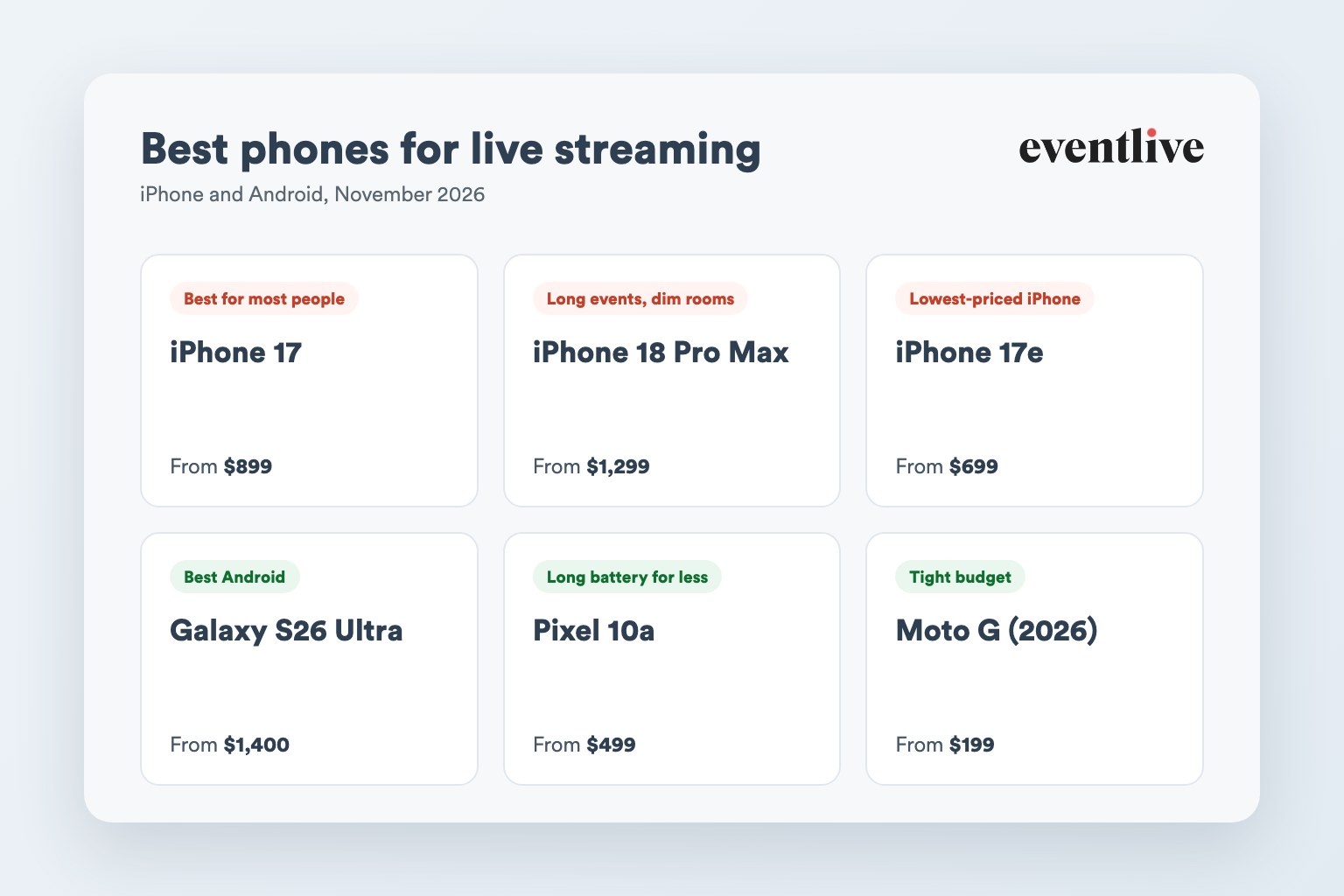
The best phone for live streaming is often the one you already have: any iPhone or Android phone from the last few years streams an event well on a tripod, plugged in. If you're buying, the iPhone 17 is the best choice for most people, the iPhone 18 Pro Max for long events and dim rooms, and the Galaxy S26 Ultra if you prefer Android. On a budget, the Pixel 10a and the Moto G (2026) have some of the longest battery life in reviewers' tests.
You don't need an expensive phone to live stream an event. A wedding, a funeral, a service or a game streams well from almost any recent phone on a tripod, plugged in, with a decent internet connection. What a better phone buys you is a steadier picture in a dim room, a longer battery, and less chance of the phone getting hot halfway through.
This guide compares the phones worth buying in 2026, explains what matters for a stream that lasts hours, and covers what to do if you're keeping the phone you have.
The best phones for live streaming at a glance
| Phone | Best for | Price from (US) |
|---|---|---|
| iPhone 17 | Most people: steady video and a long battery | $899 |
| iPhone 18 Pro Max | Long events, dim rooms and zoom | $1,299 |
| iPhone 17e | The lowest-priced new iPhone | $699 |
| Galaxy S26 Ultra | The best Android phone for long events | $1,400 |
| Pixel 10a | A long battery for less | $499 |
| Moto G (2026) | Streaming on a tight budget | $199 |
Prices are US list prices in November 2026, before trade-ins and carrier deals. Used and refurbished phones cost much less: see the phone you have, or a used one.
What matters for live streaming
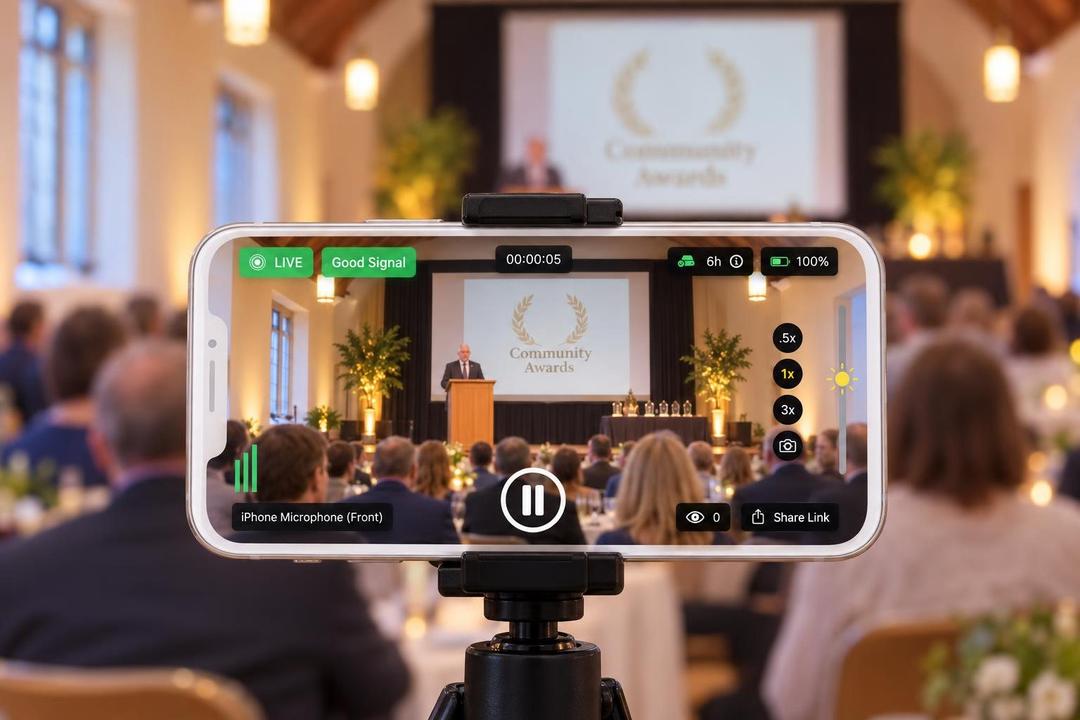
A live stream asks different things of a phone than taking photos does. It runs the camera, the processor and the network at once, for one to four hours, usually in the same spot.
- Battery and heat. These matter most. A phone that gets too hot dims its screen, slows its charging and can turn camera features off. Phones with bigger batteries and better cooling last a long event without trouble.
- The picture in a dim room. Chapels, reception halls and gyms are darker than they look. Bigger camera sensors keep the picture clean when the lights go down.
- A steady picture. Good stabilization keeps the video still when someone bumps the tripod.
- Zoom. From the back of the room, an optical zoom lens keeps the picture sharp. Digital zoom just crops it.
- Sound. Built-in microphones are fine in a quiet room. For speeches and vows, plug in an external microphone through USB-C or an adapter. External microphones
- Storage. The EventLive app keeps a recording on the phone as a backup, so leave several gigabytes free. Check your storage
- Stream quality. In EventLive, iPhones and iPads can stream in 1080p when your upload speed allows it, and Android phones stream in 720p. Streaming in 1080p
The internet connection matters as much as the phone: you need at least 3 Mbps of upload speed, 5 Mbps for 1080p. Upload speeds
The best iPhones for live streaming
iPhone 17: the best for most people
The iPhone 17 is the one most people should buy. Its main camera has sensor-shift stabilization, which keeps the picture steady, its front and back cameras both film in high quality, and its battery lasted 12 hours 47 minutes in Tom's Guide's web browsing test.
What it doesn't have is a telephoto lens, so stand closer to the front or accept a wider shot.
iPhone 18 Pro Max: for long events and dim rooms
The iPhone 18 Pro Max has a bigger battery than the iPhone 17 and a new cooling chamber, so it's the iPhone to choose for all-day conferences and tournaments. Its main camera handles dim rooms better, and the telephoto lens gives a sharp close-up of the stage or the altar from the back. In Tom's Guide's battery test it lasted 18 hours 27 minutes.
The smaller iPhone 18 Pro has the same cameras with a smaller battery.
iPhone 17e: the lowest-priced new iPhone
The iPhone 17e has a single main camera with optical stabilization and USB-C. It's a good choice for a dedicated streaming phone, for example at a church or a funeral home, where it stays on a tripod and plugged in.
The best Android phones for live streaming
Galaxy S26 Ultra: the best Android phone
The Galaxy S26 Ultra has a 5,000 mAh battery, a redesigned cooling chamber and telephoto lenses for a close-up from the back of the room. In reviewers' tests it stayed among the coolest phones under load. Samsung's Super Steady mode can also lock the horizon level.
The regular Galaxy S26 costs less and streams well too, with a smaller battery.
Pixel 10a: a long battery for less
The Pixel 10a has a 5,100 mAh battery that lasted over 15 hours in Tom's Guide's test, more than many phones that cost twice as much. Its camera is good in dim light for the price.
If you're looking at the more expensive Pixel 11, Android Authority found the base model gets hot under load, so the Pixel 11 Pro is the safer choice for long streams.
Moto G (2026): streaming on a tight budget
The Moto G (2026) costs $199 and lasted over 19 hours in Tom's Guide's battery test. Its camera isn't as good in dim rooms, so it suits daytime events, bright gyms and outdoor games. It's also a good second phone for an extra camera angle.
The phone you have, or a used one
Before you buy anything, try the phone you have. The EventLive app runs on iPhones with iOS 16.4 or later and Android phones with Android 6 or later. Run a free test stream at the venue, at the time of day of the event, and watch it on another device.
If you decide to buy, a used or refurbished phone is the best value. An iPhone 15 or iPhone 16 from a reseller such as Back Market or Swappa costs about $400–$600 and streams almost as well as a new one. A used iPhone 17 Pro has a telephoto lens and better cooling for about $900–$1,050. Check the battery health before you buy: 85% or more is good.
iPhone or Android?
Use the phone you know. Both stream an event well, and knowing where the settings are matters more on the day than any spec.
| iPhone | Android | |
|---|---|---|
| Stream quality in EventLive | Up to 1080p | 720p |
| Price | From $699 new | From under $200 new |
For funeral homes, churches and venues
If you stream every week, keep one phone just for streaming. It stays charged, updated and signed in, with nothing else running on it, and whoever sets it up knows exactly where everything is.
- Choose a phone with a good battery and cooling, such as an iPhone 17 or iPhone 17e, and keep it plugged in.
- Keep a second phone as a backup, or use it as a second camera angle. Viewers switch between the angles on the same link. Add another camera angle
- Mount it high, at the back of the room, on a tall tripod or a wall mount.
Get the most from any phone
Before you go live
For the tripod, the microphone and the rest, see our equipment checklist, and for where to put the phone, our setup diagrams.
“Worked wonderfully. I have an older iPhone and yet the video and audio were captured clearly.”