



Live stream pre-recorded video

Upload your recorded concert or show and pick the date and time. EventLive streams it live on your event page and sells the tickets, with nothing to run on the night.

  • Free test streams
  • No credit card needed
A band playing a concert on a lit stage in front of a full crowd

Premiere your show in three steps

  1. Create the event

    Add the show’s name, date and cover. Connect Stripe and set a ticket price, or keep it free.
  2. Upload the video

    In Manage Video, choose Upload and schedule a pre-recorded live stream and add your MP4 or MOV file, up to 200 GB.
  3. Pick the start time

    Keep the event’s time or choose another. EventLive streams the video live then, and the replay follows.

A live premiere from a finished video

Fans get what a live show gives them: one start time to gather for, the chat and the viewer count. You get the cut you mixed and edited, streamed exactly as you made it.

Nothing to run on the night

No encoder, no laptop left running and no crew on call. At the start time EventLive streams your video live from its own servers, and emails you when it’s on air, or if it didn’t start.

Try It Free

Fans watch it together, live

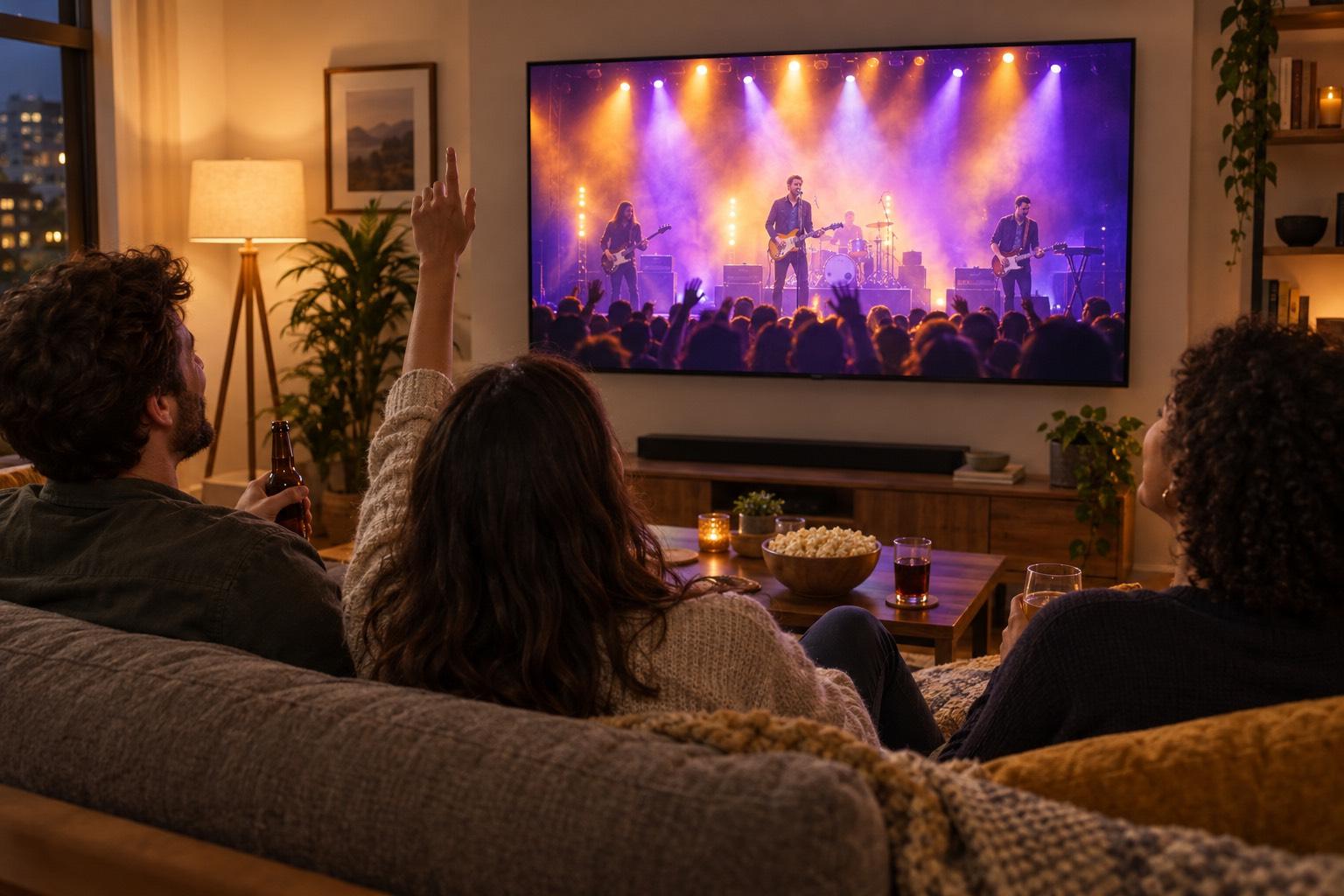
It plays like any live stream on EventLive: the LIVE badge, the chat and the viewer count on your own event page. Fans watch in any browser with no app or account, and cast it to the TV with AirPlay or Chromecast.

Watching on a TV
Friends on a sofa watching a concert stream on a wall-mounted TV at home

Sell tickets to the premiere

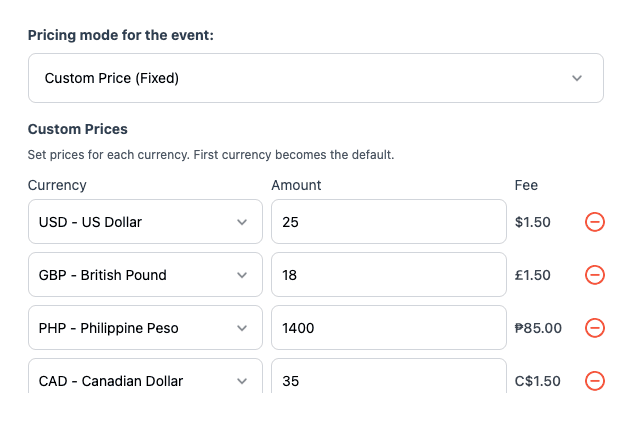
Connect Stripe and set a ticket price in each currency your fans pay in. Let them choose what they pay or pass the fees on to buyers, and the money goes straight to your Stripe account. After the premiere, the replay keeps selling.

How ticket sales work

The show starts on the minute

Does your video open with a countdown or a pre-show? Enter its length, up to 55 minutes, and streaming starts that much earlier, so your main content begins exactly at the time you set, in the event’s time zone.

Try It Free

Change it until five minutes before

Reschedule or replace the video until five minutes before the start. A new video is checked first, and the current one stays scheduled until it’s ready. Cancel any time before it’s on air, or stream it now while the event’s window is open.

Try It Free

Premiere a recording or stream it live?

EventLive does both, on the same event page. Premiere a recording when the edit matters, and go live when the night itself is the show.

Premiere a recording

  • The edited cut with your final mix
  • Nothing to run and no venue internet to worry about
  • A start time that suits your fans, wherever they are
  • Tickets, chat and the replay, as at a live show

Stream it live from the venue

  • The concert as it happens
  • A phone, EventLive for Windows or Mac, or RTMP from OBS or an ATEM
  • Several stages on one link, with a room for each
  • The replay on the same link afterwards

Live streaming a concert

What producers say

Pricing for premieres

A premiere is an event like any other, so it unlocks with an event credit or the Unlimited plan. Selling tickets adds a fee per ticket sold.

Event credits

Pay as you go
$59
$59 per event
5 events
$250
$50 per event
10 events
$400
$40 per event
25 events
$875
$35 per event
50 events
$1,500
$30 per event

Unlimited plans

AnnualSave $389/yr
$167
/month
Billed at $1,999/yr

Pay-per-view tickets

US $1.50

per ticket sold, plus Stripe's card processing fee

Set Up a PPV Event
  • Ticket money goes to your own Stripe account
  • Fixed or pay-what-you-want prices
  • Day passes, all-days passes and replays
  • No contract and no revenue split

Every event includes

  • 24 hours of Full HD streaming
  • Unlimited guests
  • Pause and resume to the same link
  • Play the music your event needs
  • Instant replay, online from 1 month to 10 years
  • Your own event link and page
  • Link to gift registries or donations
  • Photo guestbook or chat
  • Welcome message, cover photo or intro video
  • Automatic email reminders for guests
  • Guest emails with your logo
  • Embed the stream on your website
  • Optional password protection
  • Money-back guarantee
  • Invite by CSV, link or email
Compare business streaming platforms

Planning a premiere?

Tell us about the show and we’ll reply by email. You can create your account and set up the event in the meantime.

  • Getting your video file ready
  • Ticket prices for fans in other countries
  • Premieres for a tour or a season

Rather start now? Create a free business account

Frequently asked questions

A video you recorded and edited before, streamed live at a set time. Fans watch it on your event page like any live stream on EventLive, with the LIVE badge, the chat and the viewer count, and the replay follows.

MP4 or MOV files of up to 200 GB. Upload in Manage Video in the EventLive web app at broadcaster.eventlive.pro, where a big file goes fastest from your computer. If an upload stops, choose the same file again and it carries on where it left off. We check the video before it's scheduled.

As long as it ends inside your event's streaming window. If a video is too long to finish in time, Manage Video tells you.

Yes. Choose Video has a countdown? and enter its length, up to 55 minutes. Streaming starts that much earlier, so your main content begins at the time you set.

No. EventLive streams the video from its own servers at the start time, so nothing has to run on your side. We email you when it goes live, and if it didn't start or stopped.

Yes, until 5 minutes before it starts: choose Reschedule or Replace in Manage Video. A new video is checked first, and the current one stays scheduled until it's ready. You can cancel the stream any time before it's on air.

A stream set to start at the event's time moves with the event. A stream at a time of its own stays put, and Manage Video tells you if it no longer fits the event.

Yes. Stream it now starts it straight away while the event's streaming window is open, and Stop ends it while it's on air.

Yes. Upload a trailer or a slideshow as a preview video, and it plays on your event page until the stream starts, also for fans who haven't bought a ticket yet.

Yes. Set a ticket price in Sell Tickets and fans buy on your event page, with the money going to your own Stripe account. After the stream, the replay keeps selling at your ticket price, or at a separate replay price if you set one. How ticket sales work

No. EventLive doesn't use automatic music detection or muting, and your stream goes to your own event link, not a social feed. You still need the rights to the music, and we act on takedown requests from rights holders. Music and copyright

Ready to premiere your show?

Create your event, upload the video and pick the time.